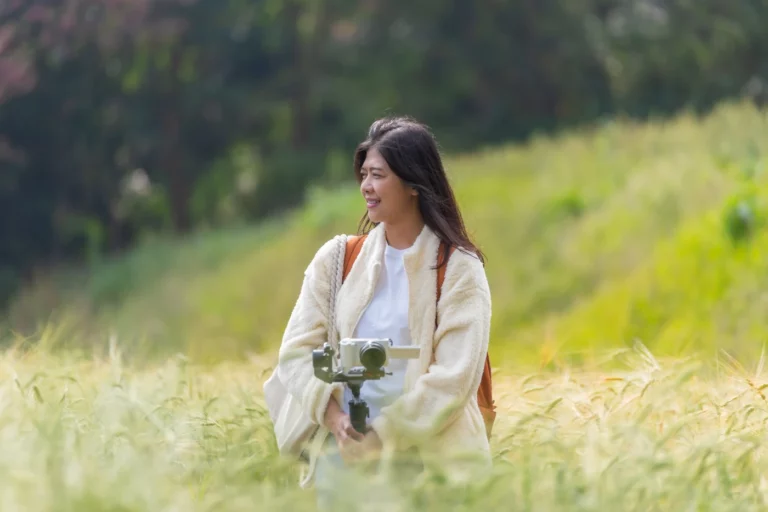

Videographers turn everyday scenes into something people remember. They can make something as simple as cream swirling into a cup of coffee look irresistible or capture a heartfelt moment that a family will treasure for generations. They see potential where others don’t and know how to bring their vision to life.
If you’ve ever wondered whether you could turn your creative instincts into a career, videography may be worth exploring. At its core, videography is about knowing what to capture, how to frame it, and how to turn raw footage into something people want to watch.
The good news is that those are all skills you can learn. Here’s how to become a videographer in six steps, from learning the basics to booking your first paid job.
Become a Videographer in Six Steps: Quick Overview
What Is a Videographer and What Do They Do?
A videographer is someone who conveys a message through video. They have an eye for compelling visuals and rely on their creative instincts and technical skills to produce engaging content.
People hire them to film weddings, birthday parties, sporting events, real estate listings, social media videos, corporate training videos, and even commercials. Explore the eight types of videography services you could offer. Unlike cinematographers, who usually work on films or TV shows with large crews, videographers often work alone or with a small team.
This means working behind the camera is only one part of the job. Freelance videographers are also marketers, business owners, and often their own production crew. On a typical project, videographers plan the shoot, film the footage, edit the final video, and deliver it to the client.
Many videographers earn a solid living. As of May 2025, the median annual wage was $74,990 for camera operators and $75,420 for film and video editors, according to the U.S. Bureau of Labor Statistics (BLS). Keep in mind that these figures are for staff positions and not solopreneurs.
Many videographers choose to do freelance work instead. In fact, in 2025, 35% of camera operators were self-employed, according to the BLS. Freelance income varies a lot by niche, location, and how many projects you book. For example, couples who married in 2025 spent an average of $2,300 on a wedding videographer, according to The Knot.
How to Become a Videographer in 6 Steps
1. Learn the Fundamentals
Videography isn’t just a creative endeavor — there is a technical side to it. And becoming comfortable with the fundamentals of video production, like camera settings, composition, lighting, audio, and editing, is the first step toward becoming a videographer.
There are lots of viable paths you can take to develop these skills; formal education is one option, but you certainly don’t need a degree to get into videography. Many working videographers are self-taught and learned through online courses, mentors, and hands-on practice.
For instance, check your local community college for videography classes. You can also take videography courses online through sites like Coursera and Udemy, or find free tutorials on YouTube.
You’ve probably picked up some of these skills already. Whichever path you choose, make sure you’re solid on each one before you take paid work:
- Camera settings: Learn how aperture, shutter speed, ISO, frame rate, and white balance affect your footage. Understanding these settings will help you control exposure, motion, and the overall look of your videos.
- Composition and framing: Familiarize yourself with techniques like the rule of thirds, leading lines, and different shot types to create dynamic and visually interesting footage.
- Camera movement: Practice panning, tilting, and tracking shots. Learn how to move your camera smoothly and intentionally.
- Lighting: Experiment with natural and artificial light, and learn how to use techniques like three-point lighting to create depth, control shadows, and set the mood.
- Audio recording: Learn how to use microphones, monitor audio levels, and minimize background noise to capture clear, professional-quality sound.
- Video editing: Get comfortable with software like Adobe Premiere Pro, DaVinci Resolve, or Final Cut Pro. Practice trimming and arranging clips, adjusting pacing, correcting colors, and adding audio.
Pro Tip: Don’t wait until you feel ready to start filming. There will always be more to learn, and you’ll learn more from one real shoot than from hours of tutorials.
2. Start With the Camera You Can Afford
Many aspiring videographers think they need the best gear before they start. In reality, you should avoid buying top-tier equipment until you develop a good understanding of the kind of videographer you are and the kind of work you want to focus on.
If your budget only stretches so far, spend it on audio before you upgrade your camera. Clients will often forgive a so-so video, but bad sound can ruin an otherwise great shoot. If you need something you don’t own, rent it. Gear rental sites like ShareGrid let you use equipment for a single shoot, so you can test it before you buy.
Here’s the essential equipment you’ll need to get started:
- Camera: An entry-level mirrorless camera, or even your smartphone, works for early projects.
- Lens: The kit lens that comes with your camera is enough to start. You can add a prime or wide-angle lens later.
- Tripod: It keeps your shots steady and frees up your hands.
- Audio: A shotgun mic mounts on your camera and picks up sound in front of it. A wireless clip-on (lavalier) mic works well for interviews.
- Lighting: A ring light or small LED panel is plenty for most early shoots.
The table below shows example gear at two budget levels, so you can start small and upgrade over time.
The table below shows example gear at two budget levels, so you can start small and upgrade over time.
Swipe →
| Category | Starter Option | Upgrade Later |
|---|---|---|
|
Camera |
Canon EOS R100 with 18–45mm kit lens ($549) |
Canon EOS R8 full-frame body ($1,649) |
|
Lens |
Kit lens (included) |
Canon RF 24–105mm f/4L ($1,399) |
|
Audio |
DJI Mic Mini, two transmitters ($79–$99) |
DJI Mic 3, two-person kit ($259) |
|
Support |
Sunpak 5858D Tripod ($34.99) |
DJI RS 4 Mini gimbal ($309) |
|
Lighting |
Small LED panel ( $30–$50) |
GVM 800D-RGB LED Light Panel ($259) |
|
Storage |
Two SD cards and a spare battery (about $80) |
Samsung T7 1TB portable SSD ($229) |
|
Editing |
DaVinci Resolve (free) |
Final Cut Pro ($299.99) or |
*Prices as of October 2026. Products are examples only, not endorsements.
Pro Tip: Bring backup batteries and memory cards to every shoot. Running out of power or storage mid-event can mean missing a moment you’ll never get back.
3. Get Hands-On Experience
Once you have the basics of videography down, the next step is to get out there and start filming.
Start with what’s around you. Shoot whatever catches your eye, like your neighborhood at sunset, a family barbecue, or something as simple as leaves falling from a tree. Give each project a goal, like telling a short story or trying a new lighting setup. Edit the footage to make it as appealing as possible, and note one thing to improve next time.
Film people. When you’re ready, move on to experimenting with filming people. Consider asking your friends if they’d like a couples video, or offer to film a relative’s birthday party. This helps you build practical experience with directing people on camera and capturing candid moments.
Work with local businesses. Once you’re comfortable, a strategic next step is to reach out to local businesses in person or on social media and offer to shoot a short ad video for free or at a low cost. In exchange, ask them for a testimonial on your work and for permission to use the video in your portfolio.
Find your niche. As you take on different projects, pay attention to what you enjoy most. Maybe you like making marketing videos for local restaurants, or maybe you’d rather capture weddings and other special events. Once you discover your niche, focus on building your skills in that area.
Pro Tip: Treat each shoot like a real job. Ask what the client wants, plan your shots, and deliver the final video by a set date. It’s a low-pressure way to practice working with clients.
4. Build Your Portfolio and Online Presence
Building an online presence is one of the best ways to attract clients. You have plenty of options for building a portfolio and marketing your videography services, but a few basics will get you started.
Social media is an excellent place to document your videography journey while you build a following. Choose platforms where your ideal clients spend time. Instagram works well for events and short commercials, while YouTube suits longer business videos. Share finished projects, behind-the-scenes moments, and what you’re learning along the way.
Once you have several solid examples of your work, compile them into a 60- to 90-second demo reel. Focus your demo reel on the kind of jobs you want to target, and open with your strongest shot. Post your reel on YouTube or Vimeo for easy sharing, and end it with your name and contact information.
Then give your reel a home. Create a simple website on a platform like Squarespace or Wix, where potential clients can explore your work and learn more about your services. Include a menu of your services, a few testimonials, and an easy way for potential clients to contact you.
Pro Tip: Build your demo reel for the client you want next. Lead with clips that show clients the kind of work you’re hoping to land.
5. Protect Your Gear and Your Career
As your business grows, protect the career you’re building. Many venues and clients require proof of insurance (aka, a COI) before they’ll work with you, but having the right coverage is about more than meeting a requirement — it can help protect you when something goes wrong on a shoot.
Picture this: You’re filming a corporate holiday party when a guest catches their foot on your tripod, falls, and needs medical care. They expect you to pay their medical bills.
Or say you’re shooting a commercial at a local boutique. The fog machine you rented leaves scuff marks on the hardwood floor, and now the owner wants you to pay for repairs.
Without insurance, costs like these could come out of your own pocket.
Videographer insurance is designed to help cover claims like these. The base policy includes general liability protection for third-party injury or property damage claims for as little as $12 a month.
From there, you can add coverage that fits your business:
- Camera Equipment Coverage (Inland Marine): Can help repair or replace gear that’s damaged or stolen
- Failure to Deliver (Professional Liability): May help if a client says a mistake, like corrupted footage, costs them money
- Data Theft Protection (Cyber Liability): Can help cover costs if client information you store is hacked
If you plan to fly a drone for paid work, you’ll need separate coverage, along with a Federal Aviation Administration (FAA) Part 107 certificate. FFI offers optional drone liability and drone equipment coverage you can add to an annual policy. Learn more about drone insurance for videographers.
John Trang, co-founder and chief creative officer of video storytelling company SplitMotion, recommends thinking long-term about your coverage:
“Choose a policy that covers your equipment, employees, and any potential mishaps. Once you’ve got coverage, never let it lapse. Gaps in your policy can make it difficult to get insured later and leave you vulnerable to significant risks.”
6. Set Your Rates and Book Your First Paid Job
Setting your rates means finding a balance between a price that feels fair to clients and one that pays you what your work is worth. Knowing exactly what each job will cost you makes it easier to find that balance. Start by creating a budget in a spreadsheet and listing every task and cost. To keep it simple, split it into three parts:
- Preproduction: Planning before the shoot, like client calls, location scouting, a shot list, or a treatment (a short document that lays out the video’s concept and style)
- Production: The shoot itself, including your time on set, gear rentals, travel, insurance, and extra help like a second shooter
- Postproduction: Everything after the shoot, like editing, color correction, music licensing, and revisions
Once you have an idea of your costs and time, you need to choose a pricing model that suits your project and client. Videographers usually price their work in one of three ways:
- Hourly: Common for short jobs, like a one-hour event or a quick product video
- Day rate: A set price for a full or half day of shooting, which many videographers prefer for longer shoots
- Flat project fee: One price for the whole job, from planning to final delivery
Try bundling your services into packages. This can make it easier for clients to say yes because they can see exactly what they’re getting and how much it costs.
Many new videographers start with two or three options, like a base package, a mid-tier option with extra coverage or a second shooter, and add-ons such as a highlight reel or drone footage. For more ideas on pricing and packages, see our guide on how to start a videography business.
Pro Tip: Count your editing time, not just your shoot time, before you quote a price. Editing often takes longer than filming, and leaving it out is an easy way to underprice your work.
FAQs About How to Get Into Videography
What Qualifications Do You Need to Become a Videographer?
A formal degree isn’t required to qualify for a videographer position. In the world of freelance videography, what matters is your portfolio and demo reel. That being said, for staff positions such as camera operator or video editor, employers often prefer candidates with a bachelor’s degree in film or a related field.
How Can I Get Started in Videography?
Start by learning the basics of shooting, audio, and editing through film school, online courses, or free tutorials. Use the camera you already have, or buy an entry-level mirrorless camera. Then get out there and start filming projects for friends, family, or local businesses. Once you have a few strong pieces, turn them into a short demo reel and start pitching paid work.
Do Videographers Make Good Money?
Yes, many do. In May 2025, the median pay for camera operators and film and video editors was about $75,000 a year, according to the U.S. Bureau of Labor Statistics (BLS). That figure covers staff jobs. Freelance income often varies more, depending on your niche, location, and how many projects you book.
Can You Be a Self-Taught Videographer?
Absolutely! Many working videographers today are self-taught and got their start outside of the traditional academic route. Online courses and YouTube tutorials make it easier than ever to build your skills on your own. Clients usually care more about your skills than your degree, so focus on building a portfolio that speaks for itself.
Do I Need an LLC for Videography?
No, you don’t need a limited liability company (LLC) to start working as a videographer. Many videographers begin as sole proprietors and work under their own name. An LLC may be worth considering if you work with larger clients who prefer to hire a registered business. Either way, an LLC is no substitute for insurance.
How Much Money Do Freelance Videographers Make?
As of October 2026, ZipRecruiter puts the average annual pay for a freelance videographer at $63,930. Your income will depend on your niche, location, and how often you book work. You also have to factor in your own gear, software, taxes, and insurance. Thumbtack estimates that videographers charge about $562–621 per project at the low end and $1,485–1,642 at the high end.